
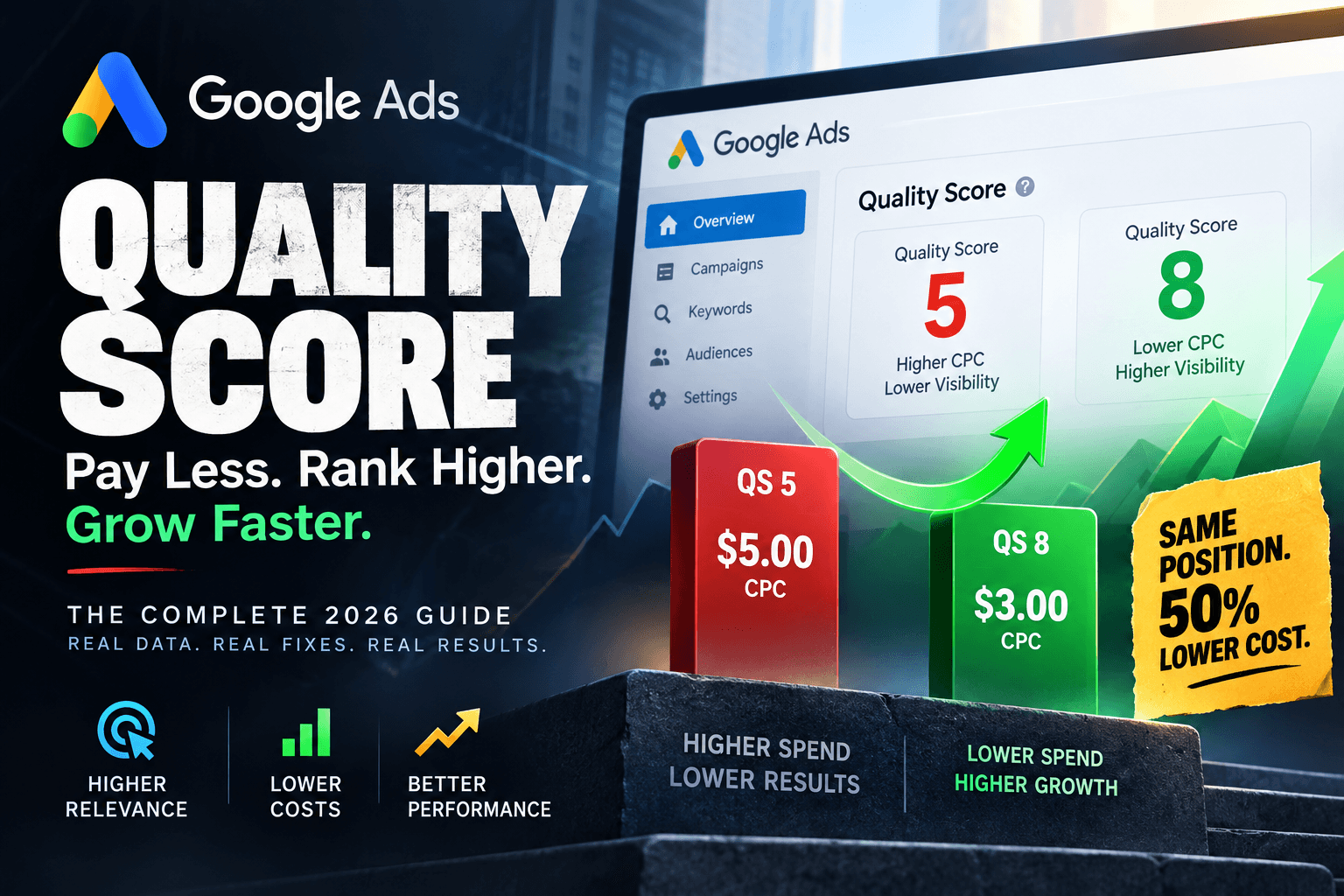
Quality Score is the most under-managed metric in Google Ads. Google has gradually downplayed it in its public communications, pushing advertisers toward automated bidding and broad targeting. Many advertisers have stopped paying attention to it entirely. That is a costly mistake. In 2026, Quality Score still directly controls how much you pay for every click and whether your ads show at all. Accounts with an average Quality Score of 8 pay between 30 and 50% less per click than accounts with a score of 5, for the exact same position.
On a $10,000 per month Google Ads account, the difference between a Quality Score of 5 and a Quality Score of 8 is roughly $3,000 to $5,000 in wasted spend every month. That is $36,000 to $60,000 per year that goes to Google instead of your business. This guide explains exactly how Quality Score works in 2026, what moves the needle, and the specific fixes that produce the fastest results.
What Quality Score Actually Is and Why Google Downplays It
Quality Score is a 1 to 10 diagnostic rating that Google assigns to each keyword in your account. It measures how relevant and useful your keyword, ad, and landing page combination is to someone searching that query. A score of 10 means Google considers your combination highly relevant. A score of 1 means Google considers it a poor match for the searcher.
Google downplays Quality Score in its official communications because it wants advertisers to trust automated bidding rather than manually optimising account structure. But the metric has not changed. It still sits at the core of the ad auction and directly determines your cost per click. Understanding the difference between Quality Score and the other scores Google shows you is the starting point.
- Quality Score - the one that matters: A 1 to 10 keyword-level rating that directly affects your cost per click and ad position in every auction. This is the metric to focus on.
- Ad Strength - ignore for CPC purposes: An ad-level diagnostic that checks whether your responsive search ad follows best practices like having enough headlines and descriptions. Ad Strength has zero impact on auction performance or your cost per click.
- Optimisation Score - a sales metric: A score that measures how many of Google's recommendations you have accepted. It is designed to encourage you to approve Google's suggestions, many of which increase spend. It has no relationship to your actual account performance.
How Quality Score Affects Your CPC: The Real Numbers
Google's ad auction does not simply give the top position to the highest bidder. Ad Rank is determined by your bid multiplied by your Quality Score, plus the expected impact of your ad extensions. This means an advertiser with a Quality Score of 8 and a $3 bid outranks an advertiser with a Quality Score of 4 and a $5 bid. The higher quality advertiser wins a better position and pays less per click simultaneously.
Quality Score 5 is the neutral point. Below it you pay a progressively steeper surcharge for the same position. Above it you receive a progressively larger discount. Fixing a keyword from Quality Score 3 to Quality Score 6 moves it from paying 67% above baseline to paying 17% below baseline - an 84 percentage point CPC improvement on that keyword.
The CPC impact is not linear or symmetrical. The larger gains sit in the upper range. Moving from Quality Score 7 to 8 does more for your cost per click than moving from 5 to 6. Industry research from Adalysis, derived from reverse-engineering historical auction data, provides directional estimates of the CPC adjustment at each score level. A Quality Score improvement from 5 to 8 on a $5 average CPC keyword reduces that CPC to approximately $3 to $3.50, with no change in bidding strategy or budget.
The Three Components of Quality Score and How Each Is Measured
Quality Score has exactly three components. Each one is rated as Above Average, Average, or Below Average. Your overall score of 1 to 10 is a weighted combination of all three. Understanding each component separately is the key to knowing where to focus your improvement effort.
- Expected click-through rate: This measures how likely your ad is to be clicked when it appears for a given keyword, compared to other advertisers targeting the same keyword. It is based on historical CTR data for your keyword and ad combination, adjusted for factors like ad position. This is the component with the most direct and fastest impact on your Quality Score. Industry data shows that improving CTR from 3% to 6% can boost Quality Score by 2 to 3 points. It is also the fastest component to fix because ad copy changes take effect immediately.
- Ad relevance: This measures how closely your ad copy matches the intent behind the keyword. If someone searches 'emergency plumber Sydney' and your ad headline says 'Professional Plumbing Services', your ad relevance is below average because the match between the search query and the ad is poor. Tightening your ad groups so each group targets one specific intent and writing ads that directly address that intent is the fix for below-average ad relevance.
- Landing page experience: This measures how relevant and useful your landing page is to someone who clicks your ad. Google evaluates original content, business transparency, ease of navigation, and page load speed. Sending traffic to your homepage instead of a dedicated landing page that matches the ad is the single most common cause of a below-average landing page experience rating. Quality Score reflects rolling 90-day performance data, so landing page changes show their full impact after 30 to 45 days.
How to Diagnose Your Quality Score Problems
Before fixing Quality Score you need to identify where the problems are concentrated. Most accounts have a small number of high-spend keywords with low Quality Scores that account for the majority of the CPC waste. Finding these is the starting point.
- Add Quality Score columns to your keywords view: In Google Ads go to Keywords and add the Quality Score, Expected CTR, Ad Relevance, and Landing Page Experience columns. You will immediately see which keywords have scores below 7 and which component is rated Below Average.
- Sort by cost descending: Sort your keywords by the cost column highest to lowest. The keywords at the top of the list are where your budget is concentrated. A Quality Score of 4 on a keyword spending $50 per day costs you far more than a Quality Score of 4 on a keyword spending $2 per day.
- Identify your high-cost, low-score keywords: Any keyword spending more than $200 per month with a Quality Score below 7 is a priority fix. These are the keywords where a one or two point improvement has the most direct dollar impact on your account.
- Check which component is Below Average: For each priority keyword, note which of the three components is rated Below Average. This tells you exactly where to focus: ad copy if Expected CTR or Ad Relevance is below average, landing page if Landing Page Experience is below average.
The Fastest Fixes for Each Quality Score Component
Accounts starting from Quality Score 4 or 5 often see 2-point lifts within 14 days and 3-point lifts within 45 days when all three components are addressed together. Moving only one lever - for example just ad copy - rarely produces more than a 1-point lift. Here is the fastest approach for each component.
- Fix for Below Average Expected CTR: Write ad headlines that match the search query as closely as possible. Use dynamic keyword insertion sparingly but effectively. Test emotional triggers in your headlines - urgency, specificity, and numbers all improve CTR. For a keyword like 'emergency plumber Melbourne' your headline should contain 'Emergency Plumber Melbourne' or a close variant, not a generic service description. Test at least two ad variations per ad group and let the higher CTR ad accumulate impressions before pausing the weaker one.
- Fix for Below Average Ad Relevance: The most common cause is ad groups that are too broad. An ad group containing 'plumber', 'plumbing services', 'plumber near me', and 'emergency plumber' cannot have a single ad that is highly relevant to all four queries. Break this into two or three tighter ad groups. Each ad group should target keywords with the same intent and have ads written specifically for that intent. The keyword should appear in at least one headline and ideally in the description as well.
- Fix for Below Average Landing Page Experience: Three fixes deliver 80% of the improvement. First, make sure the ad and landing page headline match - if the ad says 'Emergency Plumber Sydney' the landing page headline should also say 'Emergency Plumber Sydney', not 'Professional Plumbing Services'. Second, remove navigation from your landing pages - a landing page with a full site header gives visitors too many ways to leave without converting. Third, add trust signals above the fold - reviews, qualifications, response time guarantees, and phone numbers all improve the landing page experience rating.
The Compound Effect of Quality Score on Your Account Over Time
The most important thing to understand about Quality Score is that it compounds. When your Quality Score improves, your ads become more profitable per click, so Google's algorithm bids you into more auctions and into higher positions. CPCs increase slightly because you are buying more impressions, but you are getting significantly more clicks at a still-attractive economic profile. The net effect on profit is strongly positive.
Industry case data shows an advertiser with a Quality Score improvement from 5 to 8 reducing CPC from 40 pounds to 22 pounds on a competitive keyword - same keyword, same bids, same budget. The Quality Score was the only variable that changed. On a 20,000 dollar per month Google Ads account, moving average Quality Score from 5 to 8 saves 5,000 to 8,000 dollars per month - 60,000 to 96,000 dollars per year - that can be reinvested into additional clicks at the new, lower cost per click.
What Quality Score Cannot Fix
Quality Score improvement is one of the highest-ROI activities in Google Ads, but it does not fix structural problems. A tightly written ad group targeting the wrong keywords will have a good Quality Score and still generate zero qualified leads. A landing page that is highly relevant to the ad but has no compelling reason to contact the business will have a good landing page experience rating and still convert poorly. Quality Score optimisation works best as part of a complete account structure review, not as a standalone fix.
At Luceds, when we audit a Google Ads account, we check Quality Score components for every keyword spending more than 100 dollars per month. We then prioritise fixes based on the dollar impact of each improvement - highest spend, lowest score first. In most accounts we audit, fixing Quality Score on the top 10 to 15 keywords generates 20 to 35% cost savings without any change to budget or campaign structure.